Stop looking at the aesthetic patterns and start looking at the stitching; most people think choosing a laptop sleeve is about finding a cute accessory that matches their bag, but that is a lie. I spent two years in a basement studio watching people pay fifty pounds for a “designer” sleeve only to have the zipper teeth fail or the corner seams split within a month because the fabric weight was laughable. If you are trying to figure out how to choose a laptop sleeve, you need to stop shopping for a look and start shopping for structural integrity. A sleeve isn’t a fashion statement; it is a piece of protective equipment, and if the padding is too thin to survive a drop onto a tiled floor, it’s just an expensive piece of scrap fabric.
I’m not here to sell you on a lifestyle or a specific brand’s “minimalist” vibe. Instead, I’m going to show you the actual maths of protection: which materials won’t pill after being shoved into a backpack every day, how to spot a reinforced corner, and why the cheapest option is usually a trap. I’ll tell you exactly what to look for so you buy something once, and actually keep it for years.
Forget Aesthetics Why How to Choose a Laptop Sleeve Is a Fit Problem
We spend so much time looking at the color palette or whether a pattern matches our aesthetic, but we treat the laptop sleeve like it’s a piece of jewelry rather than a piece of protective gear. It isn’t. If you buy a sleeve that looks stunning but has zero internal structure, you’re just carrying a very pretty coffin for your hardware. I see this all the time in the studio—people buying for the “vibe” and ignoring the actual device dimensions measurement. If there is too much dead space inside, your laptop is going to slide around like a loose hem on a poorly tailored trouser, and that constant friction is what kills the finish.
It’s also a question of weight and volume. You need to decide if you actually need a slim vs bulky laptop case setup based on how you move through the world. A thin, aesthetic sleeve might look sleek in a coffee shop photo, but if you’re commuting on a train, you need real shock absorption technology to handle the bumps. Don’t let a designer label trick you into thinking a thin piece of faux-leather is enough protection; if the material can’t take a hit, the “investment” you made in your MacBook is gone in one bad drop.
The Math of Protection Shock Absorption Technology vs Cheap Padding
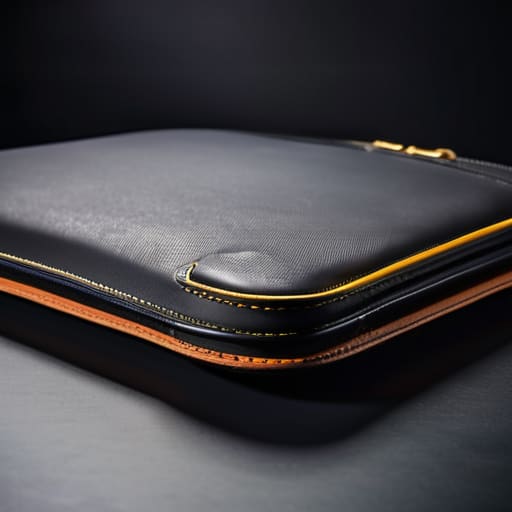
Here is where the marketing gets loud and the actual physics gets quiet. Most brands will throw a “premium” label on a sleeve and expect you to believe the fabric does the heavy lifting. It doesn’t. If you’re looking at neoprene vs leather sleeves, don’t get distracted by the texture. Leather looks expensive in a flat-lay photo, but unless it’s backed by actual density, it’s just a fancy skin that offers zero bounce-back when you drop your bag. Neoprene is better for grip and basic scuffs, but if you want real security, you need to look at the internal structure.
I’m talking about actual shock absorption technology, which usually means high-density foam or a specialized gel layer, not just a thin layer of polyester stuffing. You have to decide if you want the slim vs bulky laptop cases trade-off. A slim sleeve is great for sliding into a slim briefcase, but it won’t save your motherboard from a three-foot drop onto concrete. If you’re spending sixty quid, you aren’t paying for the logo; you’re paying for the density of the padding that keeps your hardware from becoming a paperweight.
Neoprene vs Leather Sleeves Which Fabric Actually Survives the Year
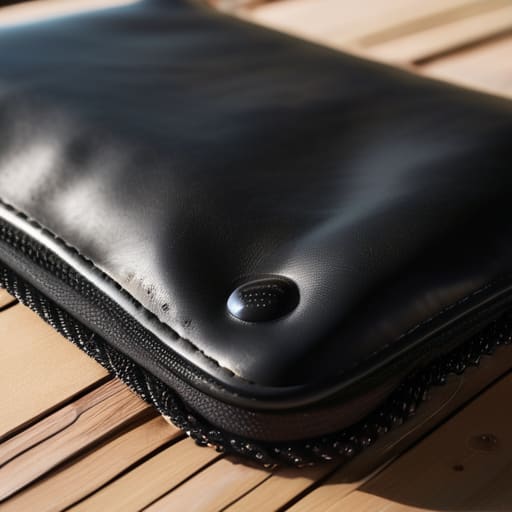
Let’s talk about the actual construction, because the marketing departments love to use words like “luxury” to hide a lack of durability. When you’re looking at neoprene vs leather sleeves, you aren’t just choosing an aesthetic; you’re choosing how your device will age. Neoprene is the workhorse here. It’s essentially a synthetic rubber that offers decent shock absorption technology without the bulk, and more importantly, it’s usually water resistant. If you’re shoving your bag into a crowded train rack, that slight moisture barrier is the difference between a dry laptop and a dead one.
Leather, on the other hand, is a classic for a reason, but don’t let a “premium” tag fool you. If it’s thin, corrected-grain leather, it’s going to scuff and crack within six months of being pulled in and out of a backpack. A real, heavy-weight leather sleeve is an investment that actually survives the year, but it’s also much heavier. You have to decide if you want a slim vs bulky laptop case profile or if you’re willing to carry the extra weight for that patina. Just remember: leather looks better with age, but neoprene is much more forgiving when life gets messy.
Slim vs Bulky Laptop Cases Solving the Daily Utility Equation
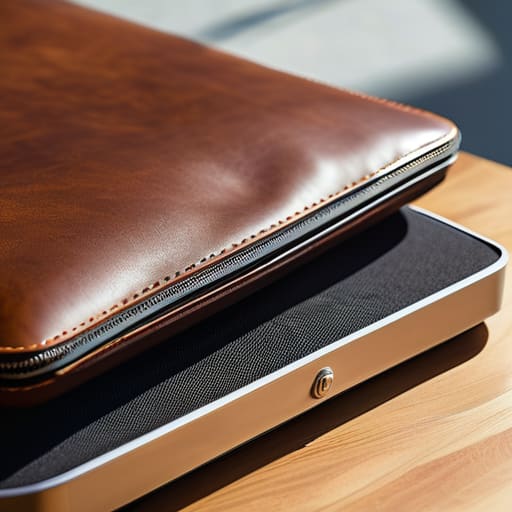
The “slim vs bulky laptop cases” debate usually boils down to a choice between looking sleek and actually being prepared for a Tuesday morning commute. If you go for the ultra-thin sleeve, you’re essentially buying a glorified folder. These work fine if you’re a student who only moves between a desk and a backpack, but they offer zero defense against a corner impact. I see people buy a beautiful, thin protective sleeve for MacBook models only to realize too late that it has no structural integrity. If you drop a slim sleeve, the laptop is still taking the hit; the sleeve is just there for the scratches.
On the flip side, the bulky options are often overkill, adding unnecessary weight and volume that makes your bag feel like a brick. The trick is looking at the device dimensions measurement versus the padding thickness. You want a middle ground: something with enough density to absorb a bump, but not so much that you can’t zip your bag. I always tell my clients to check the seam allowance on the padding; if it’s too compressed, you’ve lost all the benefit of the shock absorption technology you paid for.
Water Resistant vs Waterproof Dont Pay for Features You Wont Use
Marketing departments love to use “waterproof” as a magic word to justify a 40% markup, but let’s look at the actual construction. Most of the sleeves you see in high-street shops are merely water resistant, meaning they can handle a light drizzle or a spilled coffee if you act fast. To be truly waterproof, a sleeve needs heat-sealed seams and a specialized membrane—features that usually turn a sleek, professional accessory into something that looks like a heavy-duty hiking tent. Unless you are a field researcher working in a tropical rainforest, you are likely paying for a technical spec you will never actually test.
If you are looking for a protective sleeve for MacBook or any slim ultrabook, stick to high-density nylon or treated canvas. These materials offer enough resistance to handle the daily chaos of a commute without the unnecessary bulk or the ridiculous price tag of a fully submersible case. I’ve seen people spend sixty pounds on a “waterproof” bag only to realize it’s too stiff to actually slide into their backpack. Don’t let the labels fool you; buy for the reality of your commute, not the promise of a storm you’ll never encounter.
The "Will This Actually Work on a Wednesday?" Checklist
- Measure the actual device, not the marketing box. A “13-inch” sleeve is a suggestion, not a rule, and if you have to fight the zipper every morning because you bought for the label instead of the dimensions, you’ll end up leaving it at home.
- Check the seam allowance and edge finishing. If the internal stitching looks loose or messy in the shop, it’s going to fray the moment you shove it into a crowded backpack; look for reinforced edges, not just pretty colors.
- Test the zipper weight. A flimsy, lightweight plastic zipper on a heavy-duty sleeve is a disaster waiting to happen; you want a metal or high-grade nylon track that doesn’t snag when you’re rushing for the bus.
- Avoid “faux” everything unless you’re prepared to replace it in six months. Faux leather that isn’t thick enough will crack at the fold lines within a season, so if you want the look, make sure the material has enough structural weight to hold its shape.
- Prioritize the “toss factor” over the “show factor.” Ask yourself if you can actually throw this into a bag without worrying about a corner poking through; if it’s too rigid to bend, it’s not a sleeve, it’s a brick, and bricks are terrible for your spine.
The real cost of a "pretty" sleeve
Stop looking at the pattern and start looking at the seam allowance; I’ve seen more expensive laptops die because someone bought a slim, aesthetic sleeve that lacked the structural integrity to survive being shoved into a crowded backpack.
Neve Okonkwo-Barr
The Bottom Line
At the end of the day, picking a laptop sleeve shouldn’t feel like a high-stakes fashion choice; it’s a practical decision about protecting your most expensive tool. Stop letting the glossy lifestyle photography fool you into buying a leather sleeve that’s too stiff to actually fit in your bag, or a “waterproof” nylon that’s going to pill and look like trash by February. Look at the seam construction, check the density of the padding, and make sure the dimensions actually match your hardware so you aren’t fighting a zipper every single morning. If the math doesn’t add up—if the protection is flimsy or the material is too delicate for your daily commute—walk away from the sale.
We spend so much time worrying about whether our tech accessories “match” our outfit, but your gear is meant to work for you, not the other way around. A good sleeve is like a well-tailored blazer: it should feel invisible because it does exactly what it’s supposed to do without any unnecessary drama. Build a kit that survives your actual life, not the idealized version of it you see on an Instagram feed. Focus on the utility and the durability, and I promise you’ll end up with something that actually works on a Wednesday, a Friday, and every chaotic day in between.
Frequently Asked Questions
If I buy a sleeve that’s slightly too big to accommodate a charger, am I just asking for the laptop to slide around and get scratched?
Yes, you are. If there’s a gap, that’s where the friction happens. Every time you pull your laptop out, it’s going to slide, tilt, and rub against the fabric. Even with padding, that constant micro-movement is how you get those annoying surface scratches. If you need room for a charger, don’t buy a bigger sleeve; buy a sleeve with an external mesh pocket or a dedicated tech pouch. Fit is everything.
Is it actually worth paying a premium for a brand name, or can I just find a heavy-duty canvas option that won't fall apart in six months?
Look, unless that brand name is paying for a reinforced double-stitch on the zipper or a high-denier canvas that won’t fray at the seams, you’re just paying for a logo. I’ve seen “luxury” sleeves fall apart because the internal lining is paper-thin. Find a heavy-duty canvas with a tight weave and check the seam allowance. If the stitching looks straight and the fabric has weight, you’ve won. Don’t pay for the hype; pay for the construction.
Can a tailor or a cobbler actually fix a broken zipper on a sleeve, or is that a lost cause once the teeth go?
If the teeth are missing or bent, it’s a lost cause—you can’t sew metal back together. But if the slider is just stuck or the pull tab snapped, a tailor can swap the hardware for about £10–£15. Don’t bin a perfectly good jacket just because the zip is acting up; most of the time, it’s a ten-minute fix that costs less than a decent lunch. Check the teeth first; if they’re gone, it’s gone.
