Stop listening to the “influencers” telling you that looking professional on camera requires a brand-new wardrobe of structured blazers and expensive silk blouses. It’s a total scam. I spent two years in a basement studio pinning hems for people who were just as broke as the rest of us, and I can tell you that most of that “professional” sheen is just clever lighting hiding a terrible fit. If your shoulder seams are drooping two inches past your actual bone, no amount of high-end branding is going to save you from looking like you’re wearing your dad’s hand-me-downs. Learning how to look good on video calls isn’t about a shopping spree; it’s about understanding how fabric behaves when it’s compressed into a tiny digital square.
I’m not here to sell you a capsule collection or a lifestyle. I’m here to tell you which collar shapes won’t disappear into your neck when you lean forward and why a fifteen-pound alteration to your existing shirt is worth more than a hundred-pound fast-fashion upgrade. We’re going to talk about seam allowances, light-reflecting textures, and the specific math of looking sharp without spending your grocery budget on a “Zoom outfit.”
Understanding How to Look Good on Video Calls

The first thing you need to accept is that a webcam is a liar. It flattens your body, washes out your skin tone, and turns even the most expensive silk blouse into a shapeless blob of light. Most people think they need a massive wardrobe refresh to look “professional,” but they’re actually just fighting bad lighting and terrible geometry. If your camera is sitting on your desk looking up your nose, no amount of designer tailoring will save you. You need to prioritize best camera angles for meetings by propping that laptop up on a stack of books; getting the lens at eye level is the fastest way to stop looking like you’re melting into your chair.
Once you’ve fixed the angle, look at your fabric. Digital sensors struggle with high-contrast patterns and tiny, busy prints—they create a weird shimmering effect that is incredibly distracting for anyone on the other end. Instead, lean into solid, mid-weight textures. A structured cotton or a boiled wool holds its shape against the lens much better than a flimsy jersey. If you want to actually improve your presence, don’t worry about a fancy studio; just focus on improving video call image quality by ensuring your light source is in front of you, not behind you.
Key Things to Know
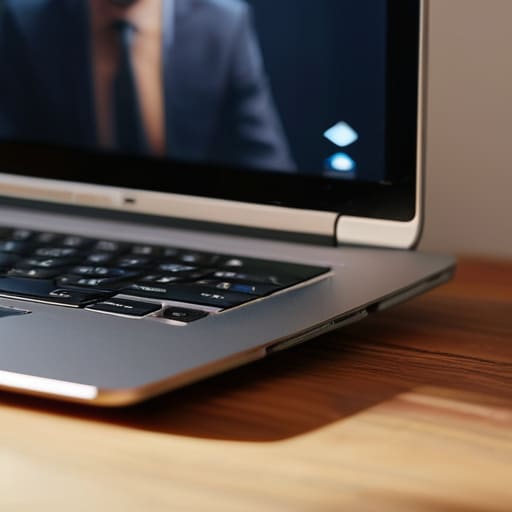
First, let’s talk about the physics of it all. You can wear a three-piece suit, but if your laptop is sitting on a stack of old textbooks looking up your nostrils, you aren’t going to look professional—you’re just going to look like you’re caught in a mid-meeting crisis. Finding the best camera angles for meetings is less about expensive gear and more about eye level. Prop that thing up. If the lens is at eye height, the fabric of your shirt actually sits the way it was designed to, rather than bunching up under your chin.
Next, stop obsessing over your video call background aesthetics and start looking at your lighting. I see people buying massive, expensive blazers only to have them look like grey blobs because they’re sitting in a dark corner. You don’t need a studio, but a bit of decent light—even just facing a window—makes the difference between looking polished and looking like a grainy security camera feed. When the light hits the right part of the weave, you actually look like a person who has their life together, even if you’re wearing pajama bottoms.
Practical Tips and Steps

First, stop worrying about your “professional wardrobe” and start looking at your lighting. You can wear a bespoke silk blouse, but if you’re sitting with a window behind you, you’ll just look like a dark, blurry silhouette. If you aren’t using a ring light, at least position a lamp so it hits your face from the front or slightly to the side. Proper ring light placement for video prevents those harsh, unflattering shadows under your eyes that make you look like you haven’t slept since 2022.
Next, let’s talk about the physics of the frame. Most people default to a laptop sitting on a desk, which means your camera is looking straight up your nose. It is a terrible angle. Prop your laptop up on a stack of old sewing pattern books until the lens is at eye level. Finding the best camera angles for meetings is less about expensive gear and more about making sure you aren’t accidentally giving your boss a view of your nostrils. Finally, check your shoulder seams in the preview window; if they’re drooping because the garment is too big, the camera will pick up that lack of structure instantly.
Common Mistakes to Avoid

The biggest mistake I see is people treating their webcam like a magic wand that can hide a bad fit. You cannot “filter” your way out of a shirt that is two sizes too large in the shoulders; the digital grain just makes you look like you’re drowning in cheap polyester. People think they need to buy a whole new “Zoom wardrobe,” but that is marketing nonsense. Most of the time, you just need to stop wearing high-contrast patterns that jitter on screen or fabrics that reflect light in ways that make you look sweaty.
Another massive blunder is ignoring the physics of the room. You can spend a fortune on clothes, but if your best camera angles for meetings involve looking up your nose from a laptop perched on a stack of books, no amount of tailoring will save you. People also obsess over video call background aesthetics—buying expensive plants or minimalist shelves—while completely ignoring that their lighting is coming from directly overhead. That creates shadows under your eyes that make you look exhausted. Fix your light and your shoulder seams first; the rest is just noise.
Final Thoughts
Look, at the end of the day, looking decent on a screen isn’t about owning a wardrobe full of “power suits” that feel like cardboard. It’s about the small, tactical wins. If your shirt fits your shoulders, you’ve already won half the battle. You don’t need to go out and buy a whole new collection for dressing for virtual meetings; you just need to make sure what you already own doesn’t look like it’s wearing you.
Don’t get too hung up on the tech side, either. You don’t need a studio setup to look competent. A decent bit of ring light placement for video—even if it’s just a lamp from a charity shop positioned behind your laptop—is worth more than a thousand-pound blazer. If you get your light right and your collar sits flat, you’re ahead of 90% of the people on that call.
Stop overthinking the “aesthetic” and start focusing on the geometry of the frame. Fix the fit, check your lighting, and get back to your actual work. Style shouldn’t be a chore; it should just be the thing that stays out of the way.
The "No-New-Clothes" Cheat Sheet for the Camera
- Stop fighting with your collar. If you’re wearing a button-down that gapes at the chest or pulls across the shoulders, the camera will pick up that tension like a crime scene. Don’t buy a new shirt; take your current one to a tailor and have them add a tiny hidden snap or take in the side seams. A shirt that actually sits flat looks ten times more expensive on a 720p webcam than a brand-new one that’s fighting your body.
- Watch your fabric weight, not the brand name. Thin, jersey-knit fabrics are a nightmare on video because they show every single ripple and undergarment line when you move. If you want to look sharp, reach for a heavier cotton or a structured knit. If your favorite top is too flimsy, layer a structured blazer or a waistcoat over it—it provides the silhouette the camera needs without you having to spend a penny on a new wardrobe.
- Check your shoulder seams before you hit ‘Join.’ Most people focus on their face, but the camera frame usually cuts off at the mid-chest. If your shoulder seams are drooping down your arm, you’ll look slumped and unpolished. If they’re too tight, you’ll look stiff. If they’re almost right but not quite, a quick adjustment to the shoulder slope can make a $15 thrifted blazer look like it was custom-made for you.
- Avoid the “High-Contrast Trap.” You don’t need a bright, neon power suit to stand out. In fact, highly patterned fabrics or stark white shirts can “vibrate” on digital sensors, making you look blurry or washed out. Stick to mid-weight fabrics in solid, matte colors. If you have a piece with a great texture—like a heavy linen or a fine wool—use that to create depth instead of relying on loud prints that distract from what you’re actually saying.
- Do the “Sit-Down Math” on your sleeve length. We often check ourselves in a standing mirror, but video calls happen sitting down. When you reach for your mouse or type, your sleeves will naturally ride up. If your sleeves are already too short, you’ll end up looking like you’ve outgrown your clothes. If you have a jacket with a bit of extra seam allowance in the cuff, ask a tailor to let them out by half an inch. It’s a cheap fix that prevents you from looking “shrunken” on screen.
The Zoom Truth
Stop trying to buy a ‘professional wardrobe’ just because you’re staring at a webcam all day. Most of what looks bad on screen isn’t your style; it’s just a collar that’s collapsing or a shoulder seam that’s dragging you down. Spend ten quid at the tailor to fix the fit of the clothes you already own, and you’ll look more composed than someone wearing a three-hundred-pound blazer that’s two sizes too big.
Neve Okonkwo-Barr
The Bottom Line
Look, looking good on camera isn’t about having a designer wardrobe or a ring light that costs more than my rent. It’s about the basics: finding a top with a neckline that doesn’t sag into your collarbones, choosing colors that don’t make you look washed out under fluorescent office lights, and—most importantly—making sure your clothes actually fit your frame. If your shirt is bunching up at the shoulders or the fabric is so thin it looks like a napkin, no amount of “professionalism” will save you. Focus on the structure of the garment and the way the light hits the texture. If a piece feels “off” when you’re sitting down, it’s going to look even worse on a 720p webcam.
At the end of the day, stop letting the marketing machine convince you that you need a whole new “Zoom wardrobe.” You don’t. You just need a few reliable pieces that sit right and a tailor who can tighten a waist or shorten a sleeve for the price of a decent lunch. Style isn’t a shopping problem; it’s a confidence problem that happens to be solved by better fit. Wear what makes you feel like a person, not a pixelated version of a corporate template, and I promise you’ll show up better than anyone else in the meeting.
Frequently Asked Questions
I found a great blazer at a charity shop but the shoulders are slightly too wide; can a tailor actually fix that for a video call, or will it always look messy?
Look, I’ll be straight with you: adjusting shoulders is the “surgery” of tailoring. It’s not just a quick hem; a tailor has to actually deconstruct the sleeve and the armhole to move the seam. It’s more expensive than a simple waist nip—expect to pay more than the blazer itself. But if the fabric is decent, do it. A sharp, fitted shoulder looks expensive on camera, whereas a drooping one looks like you’re wearing your dad’s suit.
Is it worth spending money on high-quality fabrics like heavy cotton or wool for video calls, or does the camera quality make that distinction pointless?
Look, the camera might blur the texture, but it won’t hide the way cheap, thin polyester clings to your skin or catches the light in that weird, sweaty way. Heavy cotton and wool hold their shape; they create a clean silhouette that looks intentional, even through a grainy webcam. Don’t buy “luxury” for the feel—buy it for the structure. A structured wool blazer looks professional because it doesn’t collapse under your chin.
How much should I realistically expect to pay a local tailor to take in the waist of a shirt so I don't look like I'm drowning in fabric on camera?
For a standard button-down, expect to pay anywhere from £15 to £25 (or roughly $20-$30) to take in the waist. If it’s a heavy flannel or has complex side seams, it might creep toward £30. Don’t let them charge you “bespoke” prices for a simple adjustment. It’s a small price to pay to stop that billowing fabric from making you look like you’re wearing a tent on camera. It’s worth the math.
